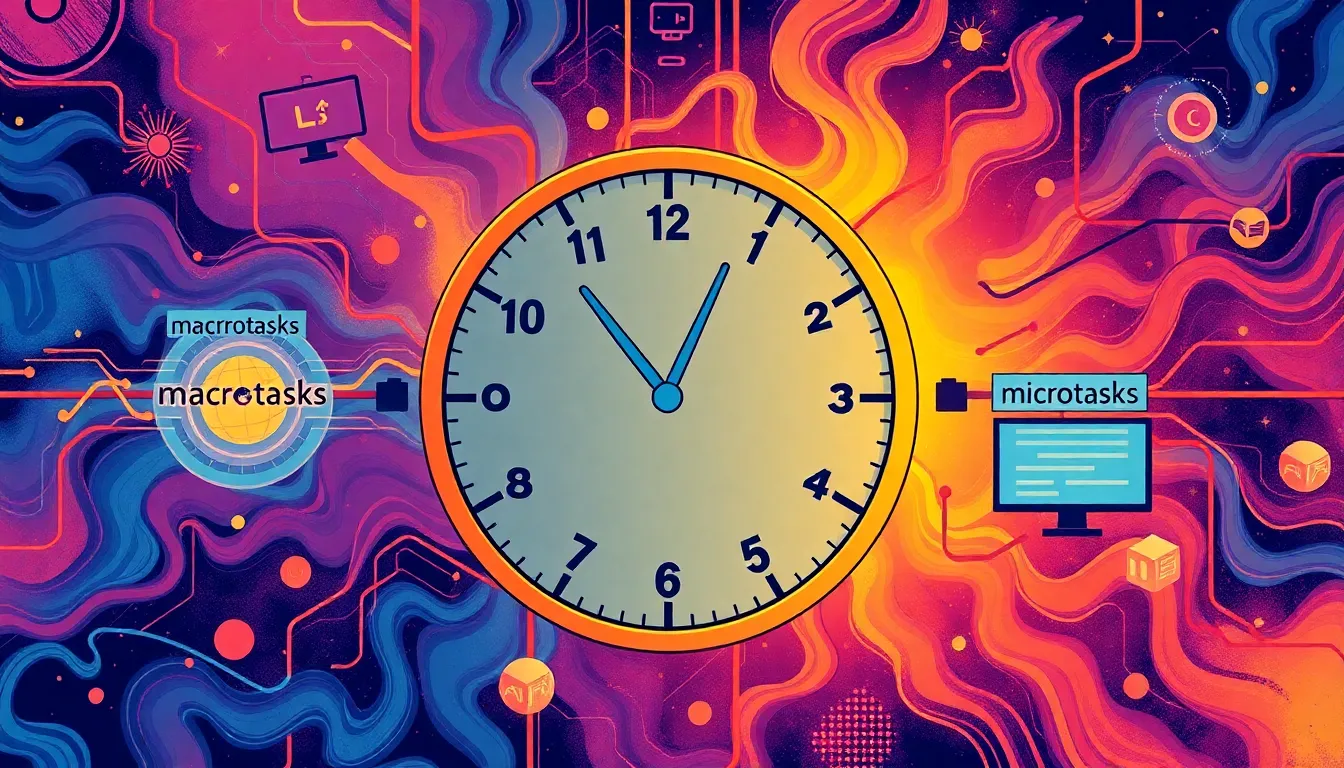
JavaScript’s event loop is deceptively simple on the surface but under the hood, it’s a carefully choreographed dance of tasks, microtasks, and rendering steps. At its core, the event loop is what allows JavaScript to handle asynchronous operations without blocking the main thread.
When you run code, synchronous operations execute immediately. But as soon as you hit something asynchronous – say, a setTimeout or a promise – the action gets scheduled rather than executed right away. These scheduled actions go into different queues depending on their type. The main two are the macrotask queue and the microtask queue.
Macrotasks include things like setTimeout, setInterval, and I/O callbacks. Microtasks, on the other hand, primarily consist of promise callbacks and process.nextTick in Node.js. The event loop’s job is to process one macrotask at a time, then clear out the entire microtask queue before moving on to the next macrotask.
This distinction is important because microtasks run immediately after the current task completes, but before the browser gets a chance to repaint or handle user input. This means microtasks can starve rendering if overused, but they’re also what make promises so powerful for chaining operations that depend on each other.
Here’s a quick example illustrating the order:
console.log('start');

setTimeout(() => {
  console.log('timeout');
}, 0);

Promise.resolve().then(() => {
  console.log('promise');
});

console.log('end');
The output will be:
start
end
promise
timeout
Even though setTimeout is set to zero delay, the promise callback runs first because it’s a microtask and gets processed immediately after the synchronous code finishes. The event loop waits until the synchronous code block completes, runs all microtasks, then moves on to the macrotask queue.
This behavior is what allows you to write asynchronous code that feels almost synchronous but still doesn’t block. Understanding this order lets you predict when callbacks will run and avoid subtle bugs caused by unexpected timing.
It also explains why chaining promises is so clean. Each then callback goes into the microtask queue, ensuring it runs after the previous synchronous or asynchronous operation completes but before the UI updates. This sequencing means you can rely on promises to coordinate dependent tasks without worrying about intermediate renders or other async events interrupting.
Contrast this with callbacks scheduled via setTimeout, which always go to the macrotask queue and run only after the current microtasks and the currently executing macrotask finish. This can cause timing issues if you mix both without understanding the queues.
It’s worth noting that browsers also have rendering steps interspersed between macrotasks. After all microtasks clear, the browser can update the UI, handle user input, fire animation frames, and so on. This is why long-running synchronous tasks block rendering, but well-structured async code can keep the UI responsive.
In Node.js, things are a bit more complicated because there are multiple phases in the event loop—timers, I/O callbacks, idle, poll, check, and close callbacks—each with its own queue. But the general principle remains: tasks scheduled for later run only after the current task and its associated microtasks finish.
Understanding these queues also helps you avoid the common pitfall of “callback hell” and deeply nested asynchronous code. By knowing when tasks run, you can flatten your code using promises or async/await, which under the hood still rely on microtasks to schedule the continuation.
Consider this example where an async function mixes timers and promises:
async function example() {
  console.log('A');

  setTimeout(() => {
    console.log('B');
  }, 0);

  await Promise.resolve();

  console.log('C');
}

example();

console.log('D');
The output sequence:
A
D
C
B
Here, await Promise.resolve() pauses the async function, but because it’s just a resolved promise, it schedules the continuation as a microtask. So D prints immediately after A, then the microtask runs printing C, and only after that does the setTimeout callback fire printing B.
These patterns are fundamental. Once you internalize the event loop’s scheduling, you begin to see why some seemingly identical async snippets behave differently in production. It’s not magic; it’s task prioritization and queue draining.
To experiment with this yourself, try the following snippet and observe the order:
console.log('sync start');

setTimeout(() => {
  console.log('timeout 1');
}, 0);

Promise.resolve().then(() => {
  console.log('promise 1');
}).then(() => {
  console.log('promise 2');
});

setTimeout(() => {
  console.log('timeout 2');
}, 0);

console.log('sync end');
Expected output:
sync start
sync end
promise 1
promise 2
timeout 1
timeout 2
Notice how the microtasks from chained promises run back-to-back before any macrotask executes. This sequencing is a direct consequence of the event loop’s design, favoring microtasks to complete immediately after the currently executing code finishes.
Ignoring this order can lead to subtle bugs, especially when mixing timers, promises, and other async APIs like requestAnimationFrame or MutationObserver. Each has its own place in the event loop or microtask queue, and understanding their relative priority is key to writing predictable asynchronous code.
Once you’ve grasped the event loop’s mechanics, you can start to write concurrent code that actually runs concurrently rather than just layering callbacks or promises that block the main thread. But before diving into concurrency primitives, it helps to solidify this understanding because concurrency is really about controlling how and when tasks get scheduled and executed.
For example, consider the difference between scheduling multiple independent setTimeout calls versus running multiple promises in parallel. The former places each callback into the macrotask queue separately, potentially causing delays if the main thread is busy. The latter allows promise callbacks to be queued as microtasks, often yielding faster completion, especially when combined with async functions.
Here’s a simple demonstration using promises to run multiple asynchronous operations “in parallel”:
function wait(ms) {
  return new Promise(resolve => setTimeout(resolve, ms));
}

async function parallel() {
  const p1 = wait(1000).then(() => console.log('done 1'));
  const p2 = wait(500).then(() => console.log('done 2'));
  const p3 = wait(2000).then(() => console.log('done 3'));

  await Promise.all([p1, p2, p3]);
  console.log('all done');
}

parallel();
This kicks off three timers concurrently, and they resolve when their timers complete. The Promise.all ensures you wait until all finish. Each then callback runs as a microtask when its timer completes, so you get an efficient, non-blocking concurrency pattern.
Contrast that with running the same waits sequentially, which would take the sum of their durations:
async function sequential() {
  await wait(1000);
  console.log('done 1');
  await wait(500);
  console.log('done 2');
  await wait(2000);
  console.log('done 3');
  console.log('all done');
}

sequential();
Here, each await pauses the function until the previous timer completes, so the total time is roughly 3.5 seconds instead of 2 seconds. That is a direct consequence of how the async/await syntax and promises schedule microtasks and how the event loop handles them.
Understanding the event loop is not just academic; it’s a practical tool for writing fast, responsive applications. It explains why your UI freezes when you run heavy synchronous code and why breaking that code into smaller async chunks can keep everything smooth.
It also guides you toward the right abstractions for concurrency. Instead of just layering callbacks or chaining promises blindly, you can think in terms of tasks, queues, and microtasks, orchestrating them for optimal performance and clarity.
The next step is to look at how to write code that truly runs at the same time, using the event loop’s power without blocking or starving other tasks. But that requires a solid understanding of this scheduling mechanism, which is the foundation of all asynchronous JavaScript. To build on this, you’ll want to explore how to use workers, streams, or concurrency libraries that leverage these primitives efficiently and safely.
One tricky part is that concurrency in JavaScript is not parallelism. The event loop runs on a single thread, so “concurrent” tasks are interleaved, not simultaneously executed. To get true parallelism, you have to use web workers or Node.js worker threads, which come with their own message-passing models that fit into this event loop paradigm but run on separate threads.
Still, mastering task scheduling and the event loop lets you write code that feels parallel and fast, even if it’s single-threaded. You learn to avoid pitfalls like blocking the main thread, starving the microtask queue, or creating race conditions by misunderstanding when callbacks execute.
Here is a tricky example illustrating starvation of rendering:
function blockMicrotasks() {
  Promise.resolve().then(function iterate() {
    console.log('tick');
    Promise.resolve().then(iterate);
  });
}

blockMicrotasks();

setTimeout(() => {
  console.log('timeout fired');
}, 1000);
This code schedules a chain of microtasks recursively. Because microtasks execute before any rendering or timer callbacks, the setTimeout callback never gets a chance to run, starving the timer and blocking the UI indefinitely. This shows why you must be cautious with microtask chains.
In practice, keeping your microtasks short and avoiding infinite loops inside them ensures the event loop remains healthy and your app stays responsive. The browser or Node.js won’t preempt a long-running synchronous or microtask operation, so it’s on you to break work into manageable chunks.
To summarize what really matters: the event loop processes one macrotask at a time, then drains all microtasks before moving on, and rendering happens in between macrotasks. Master this cycle, and you hold the key to JavaScript’s async universe. From here, writing concurrent code that actually runs simultaneously becomes a matter of applying these fundamentals thoughtfully, coordinating tasks and microtasks, and using APIs designed for concurrency rather than just asynchrony.
That’s the groundwork. Next up, we’ll dive into the practical side: structuring concurrent code that leverages this event loop knowledge, from promises and async functions to web workers and beyond. But before that, consider how this simple event loop model explains so much of the behavior you observe every day when debugging or optimizing your JavaScript programs.
For instance, suppose you want to throttle a function that runs on every scroll event. If you use a setTimeout with zero delay inside the scroll handler, you’re scheduling a macrotask that may pile up if the user scrolls fast. Using a microtask-based approach with promises can give you a way to coalesce multiple events into one callback per event loop tick, reducing overhead.
Here’s a pattern using microtasks for throttling:
function throttleMicrotask(fn) {
  let scheduled = false;
  return function(...args) {
    if (!scheduled) {
      scheduled = true;
      Promise.resolve().then(() => {
        scheduled = false;
        fn(...args);
      });
    }
  };
}

window.addEventListener('scroll', throttleMicrotask(() => {
  console.log('scroll handler');
}));
This schedules the handler as a microtask once per event loop tick regardless of how many scroll events happen, improving efficiency without blocking rendering.
Understanding the event loop’s task scheduling unlocks these kinds of optimizations and patterns. It’s not just about avoiding bugs; it’s about writing smarter, more performant code.
That said, once you’ve internalized this, the next question is how to write concurrent code that runs truly simultaneously without blocking. This means embracing workers, streams, and APIs designed to parallelize work, which we’ll explore next. But for now, keep experimenting with task scheduling and microtasks to see how you can control execution order precisely.
After all, concurrency begins with control over the event loop’s queues. Without that, it’s just a tangled web of callbacks and confusing timing.
For deep dives and experiments, the async_hooks module in Node.js or browser devtools’ async call stacks can help you visualize how tasks flow through the event loop. Use these tools to verify your mental model and detect where tasks get stuck or starved.
Remember: mastering the event loop is the foundation for everything async and concurrent in JavaScript. With that foundation, you can start designing systems that are not only correct but also elegant, efficient, and resilient.
And if you’ve ever been frustrated by random ordering of async callbacks or UI freezes from heavy computation, you now know where to look. The event loop is your friend or enemy depending on how well you understand its scheduling dance.
Let’s keep pushing this understanding forward…

TP-Link Deco 7 Pro BE63 Tri-Band WiFi 7 BE10000 Whole Home Mesh System - 6-Stream 10 Gbps, 4x2.5G Ports Wired Backhaul, 4X Smart Internal Antennas, VPN, HomeShield, Free Expert Support (3-Pack)
$286.75 (as of July 18, 2026 15:20 GMT +00:00 - More infoProduct prices and availability are accurate as of the date/time indicated and are subject to change. Any price and availability information displayed on [relevant Amazon Site(s), as applicable] at the time of purchase will apply to the purchase of this product.)writing concurrent code that actually runs simultaneously
The next step in writing truly concurrent code is understanding that JavaScript’s concurrency model revolves around the event loop and how tasks are scheduled. This means taking full advantage of asynchronous APIs that allow for non-blocking operations while still managing to run multiple tasks seemingly at the same time.
One way to achieve concurrency is through the use of web workers. Web workers run in the background and operate on a separate thread, so that you can perform heavy computations without freezing the UI. They communicate with the main thread via message passing, which fits nicely into the event loop model, allowing the main thread to remain responsive.
Here’s a simple example of creating a web worker:
// main.js
const worker = new Worker('worker.js');

worker.onmessage = function(event) {
  console.log('Message from worker:', event.data);
};

worker.postMessage('Start working!');
// worker.js
onmessage = function(event) {
  console.log('Worker received:', event.data);
  // Simulate heavy computation
  let result = 0;
  for (let i = 0; i < 1e8; i++) {
    result += i;
  }
  postMessage('Result: ' + result);
};
In this setup, the main thread sends a message to the worker to begin processing. The worker performs its computation and sends the result back to the main thread. This keeps the UI thread free to handle user input or rendering tasks.
When using web workers, you should be aware that they cannot access the DOM directly. This separation helps prevent blocking the main thread while allowing for heavy computations to be offloaded. If you need to update the UI based on worker results, you’ll send messages back and forth, which aligns perfectly with the event-driven nature of JavaScript.
Another powerful tool for concurrency in JavaScript is the use of streams, especially in Node.js. Streams allow you to process data incrementally, which can be particularly useful when dealing with large datasets or file I/O operations. Instead of waiting for an entire file to load, you can start processing chunks of data as they arrive.
Here’s a quick example of using streams to read a file:
const fs = require('fs');

const readStream = fs.createReadStream('largeFile.txt');

readStream.on('data', (chunk) => {
  console.log('Received chunk:', chunk.toString());
});

readStream.on('end', () => {
  console.log('Finished reading file.');
});
In this example, the data event is emitted whenever a chunk of data is available, enabling you to process each chunk without waiting for the entire file to be read. That is particularly effective for large files, as it keeps memory usage low and responsiveness high.
Combining web workers and streams can lead to even more powerful patterns. For instance, you can offload data processing to a worker while streaming data from a file, allowing for efficient use of resources and maintaining a responsive application.
Moreover, with the introduction of the async/await syntax, managing asynchronous code has become more intuitive. However, remember that even with async/await, the underlying mechanics of the event loop still apply. Each await effectively pauses the function until the promise resolves, keeping the event loop free to handle other tasks in the meantime.
Here’s an example that combines async/await with web workers:
async function processData() {
  const worker = new Worker('worker.js');

  return new Promise((resolve) => {
    worker.onmessage = function(event) {
      resolve(event.data);
    };

    worker.postMessage('Start processing!');
  });
}

processData().then(result => {
  console.log('Worker processed data:', result);
});
In this case, processData returns a promise that resolves when the worker sends back a message. This allows you to use await to handle the result cleanly, while the worker does its heavy lifting in the background.
Understanding these concurrency mechanisms not only helps you write better code but also allows you to build applications that can handle multiple tasks efficiently. By using web workers and streams, you can create responsive applications that take full advantage of JavaScript’s asynchronous nature without blocking the main thread.
As you dive deeper into concurrency, consider exploring libraries that provide abstractions over these concepts. Libraries like RxJS or async.js offer powerful tools for managing asynchronous flows and concurrency patterns, so that you can write more declarative and manageable code.
The key takeaway is that concurrency in JavaScript is about understanding how to effectively manage tasks and use the event loop’s capabilities. With a solid grasp of these principles, you can write applications that are not only efficient but also maintain a smooth user experience, regardless of the complexity of the underlying operations.